
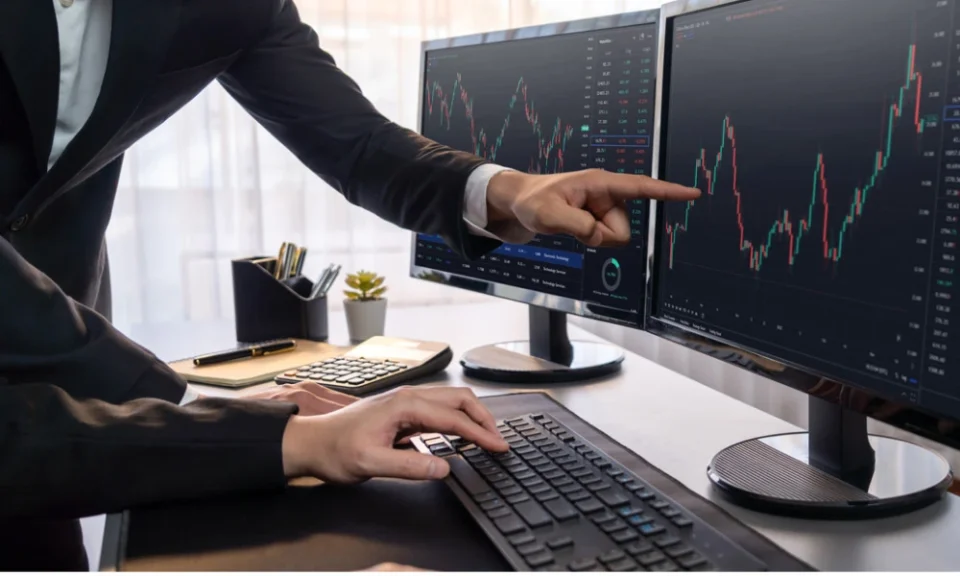
A day trading app allows users to open and close market positions within the same trading session. It may provide real-time prices, technical charts, order placement, watchlists, alerts, and position tracking through a mobile or web interface.
Fast access can make trading more convenient, but it can also encourage rushed decisions. A platform should therefore be assessed not only by its appearance or advertised brokerage but also by its reliability, risk controls, execution process, and cost transparency.
This checklist explains what users should examine before selecting a platform for short-duration trades.
Check Whether the Interface Prevents Order Mistakes
The order screen is one of the most important parts of any trading platform. It should show all essential information before the user confirms a transaction.
Users should be able to review:
- Security name
- Exchange
- Buy or sell instruction
- Quantity
- Order type
- Entered price
- Product category
- Available funds
- Estimated charges
Similar company names and contracts can appear in search results. A clear interface can reduce the possibility of choosing the wrong security or entering an incorrect quantity.
The application should also ask for confirmation before submitting larger orders. A simple review screen may prevent costly input errors.
Examine Order Execution and Status Updates
Day traders often work with small price movements. A delayed or rejected order can therefore change the outcome of a planned trade.
The platform should provide immediate updates for:
- Open orders
- Completed orders
- Rejected instructions
- Cancelled transactions
- Partially executed quantities
- Modified orders
Users should also understand the difference between placing an order and receiving an execution. An order may remain pending when the selected price is unavailable.
Market Orders
A market order attempts to execute at the best available price. It may be completed quickly, but the actual price can differ during high volatility or low liquidity.
Limit Orders
A limit order is executed only at the selected price or a more favourable one. It provides greater price control, although completion is not guaranteed.
Stop Orders
A stop instruction becomes active when a predefined trigger is reached. It may help control losses, but sudden price gaps can result in execution at a different level.
Review Live Data Quality
Intraday decisions depend on timely information. The application should clearly state whether market prices are live, delayed, or based on periodic updates.
Useful data may include:
- Best available bid and offer
- Market depth
- Traded volume
- Day high and low
- Opening price
- Previous closing price
- Circuit limits
- Percentage movement
Market depth can show the available buy and sell quantities at different prices. However, displayed orders may change quickly, and they should not be treated as guaranteed demand or supply.
Test the Charting Tools
Charts help users observe price direction, volume, volatility, and previous trading levels.
A practical charting section should offer multiple time intervals, clear candlesticks, volume bars, and drawing tools. Users may also need the ability to place trades directly from a chart.
Common indicators include moving averages, relative strength measurements, volume-weighted average price, and momentum tools.
Indicators should be used carefully. They are based on past and current price information and cannot guarantee the next movement.
A platform with many indicators is not automatically better. Clear data and easy navigation may be more useful than a crowded screen.
Look for Watchlists That Support Preparation
A watchlist allows traders to monitor selected securities without repeatedly searching for them.
Users may create separate watchlists based on:
- Sector
- Trading strategy
- Price range
- Liquidity
- Earnings announcements
- Previous-day movement
- Personal research
A prepared watchlist can reduce random trade selection. Traders can study a limited number of securities before the session begins and define possible entry and exit levels.
A watchlist should support planning, not encourage trading every item included in it.
Compare Alerts and Notifications
Price alerts can notify users when a security reaches a chosen level. Volume alerts and percentage-movement alerts may also be available.
Useful notifications may cover:
- Order execution
- Stop-order activation
- Margin usage
- Price movement
- Position closure
- Exchange notices
- Application login
Too many alerts can create pressure to act. Users should choose notifications linked to a clear trade plan.
A sudden price change does not always require a transaction. The reason behind the movement should be checked where possible.
Confirm Platform Stability During Active Sessions
A day trading platform must remain usable when market activity increases. Technical issues during volatile periods can prevent users from modifying or closing positions.
Before selecting a service, users should check whether it offers:
- Mobile and browser access
- Quick login recovery
- Alternative order channels
- Customer support during trading hours
- Clear outage communication
- Updated order and position records
No application can guarantee uninterrupted operation. Traders should know the alternative process for managing open positions if the primary interface becomes unavailable.
Calculate the Full Cost of Each Trade
Small charges can become significant when transactions are placed frequently.
Trading costs may include:
- Brokerage
- Exchange fees
- Regulatory charges
- Securities transaction tax
- Stamp duty
- Goods and services tax
- Account-related fees
- Call-assisted order charges
- Interest on funded positions
The break-even point should include both entry and exit expenses. A trade that appears profitable before costs may produce little or no net gain after all deductions.
Users should review contract notes and periodic statements to confirm how charges are applied.
Use Position Sizing Instead of Maximum Exposure
Position size refers to the amount allocated to one trade. It should be based on the planned loss limit rather than the maximum amount available in the account.
For example, a trader may first decide the maximum acceptable loss and then calculate the suitable quantity based on the distance between the entry and exit levels.
Using the entire account balance for one trade creates concentration risk. A small adverse movement can produce a large loss.
Position size should also account for volatility. Securities with wider price movements may require smaller quantities.
Set a Daily Loss Limit
A daily loss limit defines the maximum amount a trader is prepared to lose during one session.
Once that limit is reached, further transactions should be avoided. Continuing to trade after repeated losses may lead to emotional decisions and larger exposure.
A daily plan can specify:
- Maximum number of trades
- Maximum loss per position
- Total daily loss limit
- Trading hours
- Conditions that require stopping
- Securities that may be traded
These rules can reduce attempts to recover losses through impulsive trades.
Check Risk Displays Before Every Order
The application should clearly show available balance, used funds, open exposure, realised results, and unrealised results.
It should also issue alerts when margin usage becomes high.
Users participating in the Stock Market through same-day positions should remember that rapid price changes can turn an unrealised gain into a loss within minutes.
Profit and loss figures should be checked alongside open quantities. A trader may mistakenly believe a position is closed when part of the order is still pending.
Avoid Trading Based Only on Tips
Unverified messages, social media posts, and informal groups may promote securities without explaining the underlying risk.
Before entering a position, traders should identify:
- The reason for the trade
- Planned entry level
- Expected exit level
- Maximum loss
- Holding period
- Conditions that would invalidate the idea
Following a tip without a plan can leave the trader uncertain when the price moves in the opposite direction.
Research does not guarantee profit, but it creates a defined basis for the decision.
Maintain a Day Trading Journal
A journal helps traders review whether their actions follow a consistent process.
Each record may include:
- Date and time
- Security traded
- Entry and exit prices
- Quantity
- Reason for the position
- Planned risk
- Final result
- Total costs
- Emotional state
- Mistakes made
Over time, the journal may reveal patterns such as overtrading, entering too late, ignoring stop levels, or taking larger positions after a loss.
Performance should be measured over a meaningful number of trades rather than one profitable session.
Prioritise Account Security
A financial application should include strong login and transaction controls.
Users should enable two-factor authentication, biometric access, device verification, and login alerts where available.
Passwords and one-time verification codes should never be shared. Public wireless networks and unknown links should be avoided for financial transactions.
The platform should be downloaded only from an official application store or verified provider website.
Keep Same-Day Trading Separate From Other Goals
Money reserved for rent, loan payments, medical needs, education, or emergency savings should not be used for active trading.
Day trading results can vary significantly. Even a carefully planned method can experience consecutive losses.
Users should allocate only an amount that can be exposed without affecting household finances or long-term investments.
Those also considering an IPO application should maintain separate capital and evaluation criteria, as new listings and same-day trades involve different timelines, research methods, and price risks.
Conclusion
A suitable day trading app should provide stable access, clear order screens, timely data, transparent costs, useful charts, strong security, and visible risk information.
The platform itself cannot create trading discipline. Users still need defined entry rules, loss limits, suitable position sizes, and a record of each decision.
The right application is one that supports a controlled process rather than encouraging unnecessary activity. Testing key features with limited exposure can help users understand how the system performs before committing larger amounts.
Frequently Asked Questions
1. What is the most important feature in a day trading platform?
Reliable order execution is important, but users should also review costs, security, live data, position tracking, and risk alerts.
2. Are technical indicators necessary for every trade?
No. Some traders use price action, volume, or other methods. Indicators should support a defined strategy rather than replace one.
3. Can a stop order guarantee the exact exit price?
No. Fast price movements or low liquidity may cause execution at a different available price.
4. Why should traders set a daily loss limit?
It can reduce emotional decisions and prevent several small losses from becoming a larger account-level loss.
5. How should users compare two trading platforms?
They should compare execution quality, total charges, data accuracy, chart tools, support options, security features, and ease of order review.
